Find End Cities Using a Minecraft Seed becomes much easier when you understand how world seeds control generated structures. Instead of searching the outer End islands randomly, you can use your seed with an End City Finder to identify locations and travel toward them.
This guide explains how Minecraft seeds work, how to find your seed, how seed-based End City tools help, what version differences matter, and how to reach coordinates safely without relying on unnecessary random exploration.
What Is a Minecraft Seed?
A Minecraft seed is the value used by the game’s world generator when creating a world. Microsoft describes the World Seed as the seed provided to the generator to generate the world.
The seed influences the layout of generated terrain and structures, which is why seed-based map tools can calculate or display locations associated with a particular world.
A seed may look like a long number, such as:
-5637812048392175
The example above is only illustrative. Your actual world will have its own seed.
When using a seed to search for End Cities, accuracy matters. Entering even one incorrect digit may point you toward locations that do not match your world.
Can a Minecraft Seed Help Find End Cities?
Yes.
A Minecraft seed can be used with a compatible End City Finder or seed map to identify potential End City locations without manually exploring every outer End island.
The seed itself does not display End Cities inside Minecraft. It provides the world-generation input that a compatible finder can use to calculate or map structure locations.
The usual process is:
Minecraft Seed → End City Finder → City Coordinates → End Gateway → Outer End → End City
This method is especially useful if you want to reduce the amount of bridging, Ender Pearl travel, and random exploration required in the End.
Where Do End Cities Generate?
End Cities are found on the outer islands of the End dimension.
Mojang’s current End City guide explains that players should travel through an End Gateway to the outer islands and continue moving between islands until an End City appears.
End Cities do not generate on the central island where you initially fight the Ender Dragon.
In Java Edition, Mojang also notes that the small End islands do not contain End Cities, while players generally continue toward the larger outer island regions when searching for them.
This distinction is important when using coordinates from a seed tool because you still need to travel into the appropriate outer End region.
Fastest Way to Find End Cities Using a Seed
If you already know your world seed, the basic method is straightforward.
Step 1: Get Your Minecraft Seed
Find and copy your world’s exact seed.
Avoid typing it from memory because a missing minus sign or incorrect digit can completely change the generated locations shown by a seed tool.
Step 2: Open an End City Finder
Use a seed-based End City Finder designed to identify potential End City locations.
Your homepage should remain the primary page targeting the keyword End City Finder, while this article focuses on the instructional search intent around using a Minecraft seed.
Step 3: Enter the Seed
Paste the exact seed into the tool.
Do not add:
- Extra spaces
- Missing digits
- Different numbers
- An incorrect negative sign
Double-check the value before generating results.
Step 4: Select the Correct Edition or Version
If the tool asks for a Minecraft edition or version, select the one that matches the world you are actually playing.
This matters because Minecraft world generation can change between versions. Mojang’s Bedrock Seed Picker documentation has previously noted that world-generation changes can require seed selections and generated features to be reshuffled.
Therefore, do not automatically assume that coordinates calculated for a different game version will match your existing world.
Step 5: View End City Locations
The finder should display potential End City locations or markers based on your seed.
Choose a city that appears practical to reach from the area you plan to explore.
Record its:
- X coordinate
- Z coordinate
Those are the two most important values for horizontal navigation.
Step 6: Enter the End
Reach a stronghold and travel through its End Portal.
If you have not already done so, defeat the Ender Dragon.
Defeating the dragon gives you access to an End Gateway that leads to the outer End islands. Mojang confirms that the gateway created after the dragon fight provides access to those outer islands.
Step 7: Use the End Gateway
Locate the small bedrock gateway around the central island.
Throw an Ender Pearl into its portal block.
Mojang’s official End City guide recommends this method and explains that the gateway teleports players to the outer islands.
Step 8: Navigate Toward the Coordinates
Once in the outer End, compare your current coordinates with the coordinates shown by the End City Finder.
For example:
Current location:
X: 1300
Z: -800
End City location:
X: 3200
Z: -1450
You would need to increase X toward 3200 while moving Z toward -1450.
The numbers above are only an example, not real End City coordinates for your world.
Step 9: Confirm the Structure
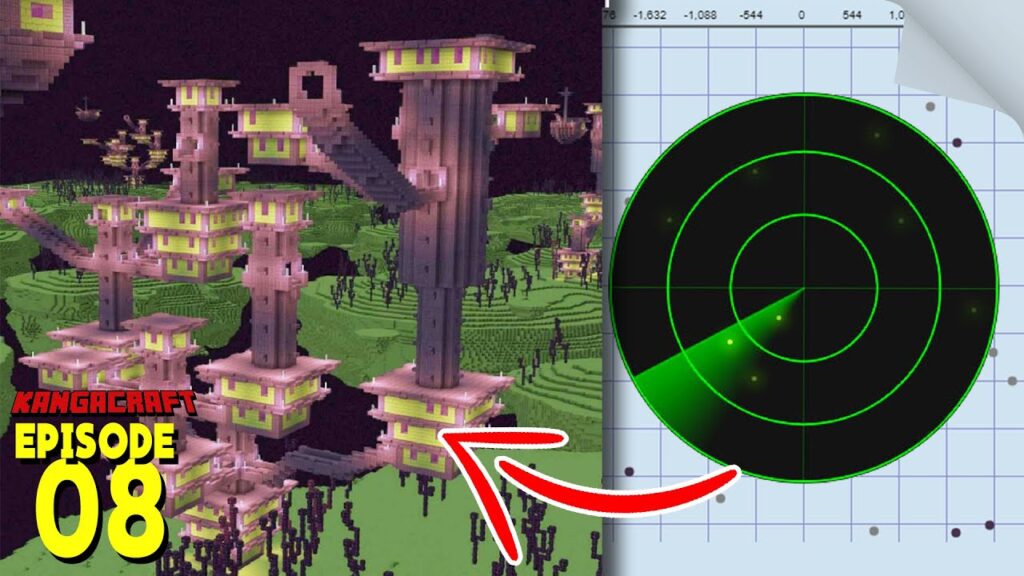
As you approach the destination, look for:
- Tall purpur towers
- End stone brick buildings
- Bridges
- End rods
- Multiple connected rooms
- A possible floating End Ship
Once the structure loads into view, you have successfully used your seed to locate an End City.
How to Find Your Minecraft Seed
You need the exact seed before a seed-based finder can return useful results.
Finding a Seed in Java Edition
In a Java world where you have permission to use the relevant command, /seed can display the world’s seed.
On multiplayer servers, ordinary players may not always have access to the seed.
If the world belongs to another player or server administrator, ask them whether seed information is available.
Finding a Seed in Bedrock Edition
Bedrock worlds store a World Seed as part of their world settings. Microsoft’s world-settings documentation identifies World Seed as the value provided to the world generator.
When you own or manage the world, check its settings and copy the seed carefully.
What If You Do Not Know the Server Seed?
A seed-based End City Finder cannot provide reliable results without the correct seed.
For a multiplayer server where the seed is hidden, your alternatives are:
- Ask the server owner
- Explore the End manually
- Use
/locateif you have appropriate command permissions
Do not assume a random seed will match the server.
Why Minecraft Version Matters When Using a Seed
One of the most common mistakes with seed tools is selecting the wrong version.
Minecraft’s world-generation systems can change between releases. Microsoft has documented cases where generation changes required existing seed recommendations to be reshuffled.
This means a tool may need to know:
- Java or Bedrock
- Relevant Minecraft version
- World-generation settings where applicable
If your End City Finder coordinates appear incorrect, the version selection should be one of the first things you check.
Does Java and Bedrock Use the Same Seed Results?
You should not blindly assume that every generated feature will appear in exactly the same place across Java and Bedrock.
Minecraft has increased world-generation parity in various areas over time, but edition-specific differences still matter for some mechanics and generated content.
For example, Mojang notes that Java Edition has specifically named small End island biomes, while Bedrock treats its End biome system differently.
For the safest results:
- Identify your edition.
- Choose that edition in the finder.
- Select the closest matching version.
- Verify coordinates inside your actual world.
Does the Seed Change After Creating a World?
The seed used to generate the world is a property of that world.
Microsoft’s world-template documentation notes that after a world is created, its seed is locked rather than freely editable as the same generated world.
You should therefore use the seed of the existing world you want to explore rather than changing it in an attempt to move structures.
Changing to another seed means generating a different world layout.
End City Finder vs Manual Seed Searching
A seed is most useful when paired with a tool that can interpret world generation.
Simply knowing the number does not tell you where an End City is located.
| Method | Seed Required | Cheats Required | Gives Coordinates | Speed |
|---|---|---|---|---|
| End City Finder | Yes | No in-game cheats | Yes | Very Fast |
/locate command | No | Yes | Yes | Very Fast |
| Manual exploration | No | No | No | Moderate |
| Seed alone | Yes | No | No | Not useful by itself |
The seed provides the data, while the End City Finder turns that information into something useful for navigation.
Is Using an End City Finder Considered Cheating?
Using a seed-based End City Finder does not require you to activate Minecraft’s in-game cheat option.
However, it provides information that players normally discover through exploration.
Whether you consider that cheating depends on:
- Your personal Survival rules
- Multiplayer server rules
- Challenge restrictions
- Speedrun rules
- Community agreements
For an ordinary private world, it is simply a matter of preference.
If you want completely natural exploration, search the outer End without external coordinates.
How to Reach Seed-Based End City Coordinates Without Cheats
Knowing the coordinates is only half the job.
You still need to reach them safely.
Use an End Gateway
After defeating the Ender Dragon, use the gateway to reach the outer islands.
Mojang recommends throwing an Ender Pearl into the gateway.
Record Your Starting Coordinates
Before leaving the gateway area, save its coordinates.
This gives you a reliable return location.
Compare X and Z Values
Keep checking whether you need to increase or decrease each coordinate.
For example:
If your target is:
X: 3500, Z: -2200
and you are at:
X: 1500, Z: -900
you need to:
- Increase X
- Decrease Z
Coordinate tracking prevents unnecessary detours.
Cross Islands Carefully
Mojang recommends traveling between outer islands by building bridges or throwing Ender Pearls.
Never sacrifice safety just to reach coordinates faster.
The void can destroy your progress instantly.
What Should You Bring When Following End City Coordinates?
Even when you know exactly where the city is, reaching it may involve a long journey.
Useful supplies include:
- Strong armor
- Sword or axe
- Bow
- Food
- Ender Pearls
- Several stacks of blocks
- Pickaxe
- Water bucket
- Feather Falling boots
- Potions
- Ender Chest
- Extra inventory space
Mojang specifically recommends carrying Ender Pearls, building blocks, good equipment, food, potions, water, and an Ender Chest during End City exploration.
An Ender Chest is particularly useful after you begin collecting valuable loot.
Why Are My Seed-Based End City Coordinates Wrong?
If a tool sends you to an empty area, do not immediately assume the tool is broken.
Check these common causes first.
Wrong Seed
Even one incorrect number produces different generation.
Copy and paste the seed whenever possible.
Missing Negative Sign
123456
and
-123456
are different seeds.
Make sure you do not accidentally remove the minus sign.
Wrong Minecraft Edition
Verify whether the world is Java or Bedrock.
Wrong Minecraft Version
World-generation differences between versions can affect tool results.
Choose the version matching the world as closely as possible.
Existing Chunks Were Generated Earlier
If a world has been upgraded across Minecraft versions, previously generated chunks may retain older terrain or structure generation while unexplored areas use newer generation rules.
That can make an old world more complicated than a completely fresh world created in the current version.
Structure Generation Settings
Custom worlds, modified servers, add-ons, mods, world conversions, or unusual generation settings can affect whether an external seed map matches vanilla expectations.
A standard vanilla world gives a seed-based finder the simplest situation to predict.
Can a Minecraft Seed Tell You Whether an End City Has a Ship?
This depends on the capabilities of the seed tool you are using.
A basic finder may only identify End City coordinates.
Even when you know where a city is located, you should not automatically assume that it includes an End Ship.
Mojang’s End City guide describes the ideal discovery as an End City with a ship near its upper section, which makes clear that the ship is not something you should assume for every city.
If your goal is Elytra, you may need to check more than one End City.
How to Find an End Ship Using Seed Coordinates
First, use the seed to locate an End City.
When you reach it, inspect its upper sections for a floating purpur ship.
Look for:
- Ship-shaped structure
- Purple purpur blocks
- Floating position beside the city
- Dragon head at the front
- Deck and mast-like structure
If there is no End Ship, choose another End City from your finder and repeat the process.
This is usually more efficient than continuing randomly from a shipless city.
How Seed Searching Helps You Find Elytra
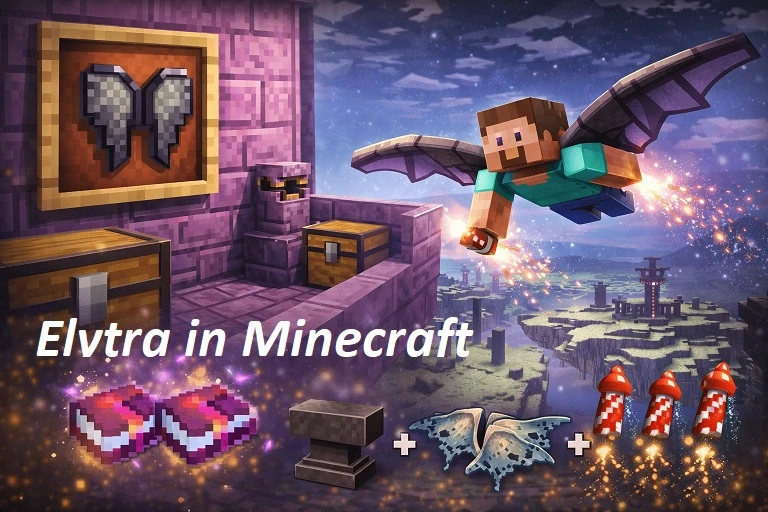
Elytra is one of the biggest reasons players search for End Cities.
Mojang confirms that Elytra is found aboard End Ships.
A seed-based search can shorten the process:
Seed → End City Finder → End City → End Ship → Elytra
However, because not every city necessarily has a ship, finding End City coordinates is not the same as receiving guaranteed Elytra coordinates.
You still need to inspect the generated city.
Seed Finder vs /locate Command
Both can help locate End Cities, but their requirements differ.
| Feature | Seed-Based End City Finder | /locate |
| Requires seed | Yes | No |
| Requires cheats | No in-game cheats | Yes in Bedrock |
| Gives coordinates | Yes | Yes |
| Can plan multiple locations | Depends on tool | Mainly nearest result |
| Works outside Minecraft | Yes | No |
| Useful for Survival planning | Yes | Depends on rules |
Microsoft’s current Bedrock documentation confirms that:
/locate structure minecraft:end_city
can locate the nearest End City and that /locate requires cheats.
If you do not want cheats, seed-based searching offers a useful alternative.
Can You Find Multiple End Cities From One Seed?
Yes.
A Minecraft world can contain many End Cities across its outer End regions.
A seed-based map may therefore display multiple possible locations rather than sending you toward only one.
This is useful when:
- The nearest city has no End Ship
- You need more Shulker shells
- Several players need Elytra
- You want more End City loot
- You have already explored nearby cities
Instead of starting another random search, simply choose another mapped destination.
Best Strategy for Choosing an End City From a Seed Map
Do not automatically select the first marker you see.
Consider:
Distance From Your Current Position
A city that is slightly farther from the center may actually be closer to your current outer-island gateway.
Travel Route
A direct coordinate may still involve large void gaps.
Sometimes another city offers an easier island-to-island path.
Already Explored Areas
Avoid choosing markers in chunks you have already searched unless you are confirming something specific.
Your Goal
If you only need Shulker shells, any End City can be useful.
If you want Elytra, prioritize finding a city with an End Ship when your tool provides enough information to distinguish one.
How to Use Coordinates Efficiently
Suppose your End City Finder displays:
X: -4250Z: 1800
If you are currently at:
X: -1500Z: 900
You need to:
- Move X downward toward -4250
- Move Z upward toward 1800
You do not need to travel in a perfectly straight diagonal line.
The End’s island layout may force you to change direction temporarily.
Use the target coordinates as your destination while choosing the safest available route.
Common Mistakes When Using a Minecraft Seed
Entering the Wrong Seed
Always double-check before beginning a long journey.
Selecting the Wrong Edition
Java and Bedrock should not automatically be treated as identical for every generated feature.
Ignoring Version Selection
Choose the correct version whenever the finder provides the option.
Expecting the Finder to Teleport You
A seed tool gives location information. You still need to travel there unless you use commands separately.
Assuming Every End City Contains Elytra
You specifically need an End Ship for Elytra.
Forgetting Gateway Coordinates
Knowing where the city is does not help if you cannot find your return route.
Traveling Without Enough Blocks
Seed coordinates can still lead across large gaps between islands.
Prepare for normal End exploration.
What to Do After Finding the End City
Once you reach the seed-based coordinates and locate the structure, prepare for Shulkers.
Shulker projectiles can cause levitation, making falls one of the biggest dangers inside End Cities. Mojang specifically warns about this risk in its End City guide.
Look for:
- Treasure rooms
- Shulkers
- Shulker shells
- End Ship
- Elytra
- Dragon head
- Useful equipment
Store particularly valuable items in an Ender Chest before continuing farther into the End.
FAQs
How Do You Find End Cities Using a Minecraft Seed?
Copy your world seed, enter it into a compatible End City Finder, select the correct edition and version, view possible city coordinates, then travel toward those coordinates in the outer End.
Can a Seed Show End City Coordinates?
A seed itself is only the world-generation input. A compatible seed map or End City Finder can use that seed to calculate or display potential End City locations.
Do I Need Cheats to Use a Minecraft Seed?
No. Knowing or using your world seed does not automatically require enabling in-game cheats. External seed tools operate separately from Minecraft’s cheat setting.
Where Are End Cities Located?
End Cities generate in the outer areas of the End. Mojang recommends traveling through an End Gateway and exploring the outer islands when searching for them.
Why Does My Seed Finder Show the Wrong End City Location?
Check the seed, negative sign, Minecraft edition, version, existing chunk generation, and whether the world uses mods or customized generation.
Can the Same Seed Have Different Results on Different Versions?
World-generation changes can affect seed-based results between versions, so you should select the version matching your world whenever possible. Microsoft’s Seed Picker documentation confirms that generation changes have previously required seed layouts and recommendations to be updated.
Can You Find an End Ship From a Minecraft Seed?
A sufficiently detailed seed tool may help with structure planning, but identifying an End City does not automatically guarantee an End Ship. You may still need to inspect the city.
Can You Find Elytra Using a Seed?
Indirectly. Use the seed to locate End Cities, then find a city with an End Ship. Mojang confirms Elytra is found aboard End Ships.
Is an End City Finder Better Than /locate?
For players who do not want to enable cheats, an End City Finder is useful because it can provide seed-based locations externally. /locate is faster inside the game when command permissions are available.
Can One Seed Contain Multiple End Cities?
Yes. You can continue exploring the outer End and find additional End Cities, making seed-based maps especially useful when searching for multiple structures.
Conclusion
How to Find End Cities Using a Minecraft Seed becomes straightforward once you have the correct seed, edition, version, and coordinates. Enter your world seed into an End City Finder, select a useful city location, reach the outer End through a gateway, and navigate toward the target coordinates.
Seed-based searching removes much of the guesswork without requiring the /locate command. Once you reach the city, check for an End Ship if Elytra is your goal and save your return coordinates before exploring further.