End City Finder for Minecraft Java and Bedrock helps players locate End Cities faster by using a world seed, edition settings, and coordinates. Instead of searching the outer End islands blindly, a compatible finder can narrow the search and make routes easier to plan.
This guide explains how Java and Bedrock differ, how to enter the correct seed, how version selection affects results, how to verify coordinates, and how to reach an End City safely once you have a location.
What Is an End City Finder?
An End City Finder is a seed-based tool designed to help identify potential End City locations in a Minecraft world.
Instead of exploring the outer End islands without a destination, you enter your world seed, select the relevant edition and version, and use the resulting coordinates to plan your route.
The basic process is:
World Seed → Select Java or Bedrock → Find End City Coordinates → Enter the End → Reach Outer Islands → Travel to the City
This is particularly useful because End Cities generate far beyond the central End island.
Mojang explains that players normally use an End Gateway after defeating the Ender Dragon to reach the outer islands, then travel between islands until they find an End City.
Does End City Finder Work for Java and Bedrock?
A finder can support both Minecraft Java Edition and Minecraft Bedrock Edition, but it must account for the generation rules of each edition.
You should not simply take End City coordinates calculated for Java and assume they are correct in Bedrock.
Modern Java and Bedrock use compatible 64-bit world seeds and have much closer terrain-generation parity than older versions. However, generated structure placement can still differ between the two editions.
That means the most important rule is:
Always select the correct Minecraft edition before trusting End City coordinates.
Java vs Bedrock End City Finder
Here is the main difference from a player’s perspective:
| Feature | Java Edition | Bedrock Edition |
|---|---|---|
| Uses world seed | Yes | Yes |
| Has End Cities | Yes | Yes |
| Outer End exploration required | Yes | Yes |
| Seed-based finder possible | Yes | Yes |
| Same seed can be entered | Yes | Yes |
| Structure coordinates guaranteed identical across editions | No | No |
| Edition selection matters | Yes | Yes |
/locate available with permissions | Yes | Yes |
Minecraft’s terrain and biome generation became substantially more aligned between Java and Bedrock, but structures can still appear differently even with the same seed.
For an End City Finder, this means edition-aware calculations are essential.
How to Use an End City Finder for Minecraft Java
The exact interface depends on the finder you use, but the process should follow a simple workflow.
Step 1: Get Your Java World Seed
Open the Java world whose End Cities you want to locate.
Where permitted, the /seed command displays the current world seed.
Copy the entire value carefully, including a minus sign if the seed is negative.
For example:
-58720491872345612
That is only an example. Do not use it unless it is actually your world seed.
Step 2: Select Java Edition
If your finder provides an edition setting, select:
Java Edition
Do this before relying on any structure locations.
Using Bedrock calculations for a Java world can lead you toward incorrect structure coordinates.
Step 3: Select the Correct Version
Choose the version that best matches the world you are exploring.
Version selection can matter because Minecraft’s generation systems have changed over time.
This is particularly important for older worlds that may contain chunks generated under previous versions.
Step 4: Enter the Seed
Paste the seed exactly.
Common mistakes include:
- Missing a minus sign
- Leaving out digits
- Adding extra numbers
- Entering the seed from another world
A seed finder is only as accurate as the information you provide.
Step 5: View End City Coordinates
Use the finder to identify potential End City locations.
Record the X and Z coordinates of a useful target.
For example:
X: 3264
Z: -1840
These numbers are only an example.
Step 6: Travel to the End
Enter the End normally and reach the outer islands.
If you have not already defeated the Ender Dragon, doing so provides access to an End Gateway.
Mojang recommends throwing an Ender Pearl through the gateway to reach the outer End islands.
Step 7: Follow the Coordinates
Once you reach the outer End, compare your current coordinates with the target.
Travel until your X and Z values approach the location shown by the finder.
As you get close, look for tall purpur towers.
How to Use an End City Finder for Minecraft Bedrock
The overall workflow is similar, but you must select Bedrock Edition.
Step 1: Find Your Bedrock World Seed
Open the settings for the world you want to explore.
Minecraft Bedrock stores a World Seed as part of the world’s generation settings.
Microsoft describes the World Seed as the value supplied to the generator when creating the world.
Copy the value exactly.
Step 2: Select Bedrock Edition
Set the finder to:
Bedrock Edition
Do not use the Java setting just because the seed number is the same.
Java and Bedrock may generate similar terrain from compatible seeds while still placing generated structures differently.
Step 3: Choose the Matching Version
Select the closest available Bedrock version.
World-generation updates can affect the usefulness of seed-based results, particularly when dealing with older saves or upgraded worlds.
Step 4: Enter Your Seed
Paste your world seed into the finder.
Check:
- All digits
- Negative sign
- Edition
- Version
before calculating locations.
Step 5: Choose an End City
Find a practical End City marker and record its coordinates.
If several cities are available, consider choosing one that appears reasonably reachable from your outer End entry point rather than automatically selecting the first marker.
Step 6: Reach the Outer End
Enter the End, defeat the Ender Dragon if necessary, and use an End Gateway.
You can then navigate toward the coordinates supplied by the finder.
Why the Edition Setting Is So Important
One of the easiest mistakes to make is thinking:
Same seed = same End City coordinates.
That is not a safe assumption.
Bedrock 1.18.30 introduced 64-bit seeds compatible with Java and significantly improved world-generation parity. Microsoft specifically noted that the same compatible seed can be used between Java and Bedrock to produce the same world terrain.
However, structure placement remains one of the areas where the editions can differ.
Therefore:
Same seed does not mean you should ignore the Java/Bedrock selector.
For an End City Finder, the edition setting can determine whether a marker is useful or sends you toward empty terrain.
Where Do End Cities Generate?
End Cities are found in the outer regions of the End dimension.
They are not normally located on the central island where the Ender Dragon fight occurs.
Mojang explains that after using an End Gateway, players arrive on the outer islands and can continue traveling between islands until they find an End City.
In Java Edition, Mojang specifically notes that the Small End Islands biome does not generate End Cities, while larger outer island areas are where players have a chance to locate them.
This is why a finder can be useful: it helps turn an enormous search area into specific destinations.
How to Reach End City Coordinates Safely
Knowing the coordinates does not automatically place you at the structure.
You still need to reach it.
Record Your Gateway Coordinates
After entering the outer End, save the coordinates of the gateway.
You can:
- Write them down
- Take a screenshot
- Save them on your phone
- Place recognizable markers
This gives you a reliable return point.
Compare Your Current Position With the Target
Suppose your target is:
X: -4200
Z: 2600
and your current position is:
X: -1500
Z: 1200
You need to:
- Move X farther negative
- Increase Z
The End’s island layout may prevent a perfectly straight route, so treat the coordinates as a destination rather than a required straight line.
Bridge Carefully
Carry plenty of blocks.
Crouch while building near edges and avoid unnecessary speed over the void.
Use Ender Pearls When Safe
Mojang recommends bridges and Ender Pearls as ways of traveling between outer islands during an End City search.
Only throw toward clearly visible terrain.
End City Finder vs /locate Command
Both approaches can provide useful coordinates, but they solve the problem differently.
| Feature | End City Finder | /locate |
| Requires seed | Usually yes | No |
| Requires cheats | No in-game cheats | Yes in Bedrock |
| Can be used for Java | Yes if supported | Yes |
| Can be used for Bedrock | Yes if supported | Yes |
| Useful for route planning | Yes | Limited |
| Finds nearby End City | Yes | Yes |
| Works outside Minecraft | Yes | No |
Microsoft’s current Bedrock documentation lists:
/locate structure minecraft:end_city
as a valid command for finding the nearest End City, and /locate requires cheats or the necessary permissions.
For players who do not want to enable commands, a seed-based finder can be a useful alternative.
Is Using an End City Finder Cheating?
That depends on how you define your own Survival rules.
Using an external seed tool does not automatically enable Minecraft’s in-game cheat setting.
However, it gives you structure-location information that you would otherwise need to discover by exploration.
For a single-player world, the choice is personal.
For multiplayer servers, check the server rules before using external seed maps or structure finders.
Some servers may consider them acceptable, while others may prohibit seed-assisted navigation.
Can the Same Minecraft Seed Be Used in Java and Bedrock?
Modern Java and Bedrock can use the same 64-bit numeric seed range.
Microsoft’s Bedrock 1.18.30 release notes state that compatible 64-bit seeds can be used between Bedrock and Java to produce the same world terrain.
But that does not mean everything generated within the world will appear in exactly the same location.
Generated structures can differ between editions.
For End City searching:
Same seed number: possible
Same End City coordinates: do not assume
Always use the correct edition mode.
Does Minecraft Version Matter?
Yes, especially for older worlds.
A new world generated entirely in one version is easier for a seed tool to predict than a world that has been played across several major releases.
New Worlds
Choose the version used to create the world.
Older Upgraded Worlds
Previously explored chunks may have been generated under older rules, while unexplored chunks can use newer generation behavior.
This can sometimes create discrepancies between a current seed map and existing terrain.
Modified Worlds
Seed-based predictions can also be less reliable when a world uses:
- Mods
- Add-ons
- Custom world generation
- Server plugins affecting generation
- Converted maps
A finder is most predictable with standard vanilla generation.
Why Is My End City Finder Showing the Wrong Location?
If you reach the coordinates and find no city, check these issues before assuming the tool is inaccurate.
Wrong Edition
Java coordinates may not match a Bedrock world and vice versa.
Wrong Seed
Copy your seed again and compare every digit.
Missing Negative Sign
These are completely different seeds:
57891234
-57891234
Wrong Version
Select the version that matches your world as closely as possible.
Old Generated Chunks
An upgraded world may contain previously generated areas that do not match assumptions based on newer generation.
Modified World Generation
Mods, add-ons, or customized servers can change normal results.
Coordinates Were Read Incorrectly
Make sure you did not accidentally swap X and Z.
If the finder says:
X: 3200
Z: -1800
do not travel toward:
X: -1800
Z: 3200
Can an End City Finder Find End Ships?
This depends on the specific finder.
End Ships generate as part of some End Cities, but not every End City includes one.
Mojang explains that players searching End Cities ideally want to find one with a ship near the upper part of the structure, because the Elytra is found aboard the ship.
If your finder only marks End Cities, you will still need to visit each location and check whether a ship generated.
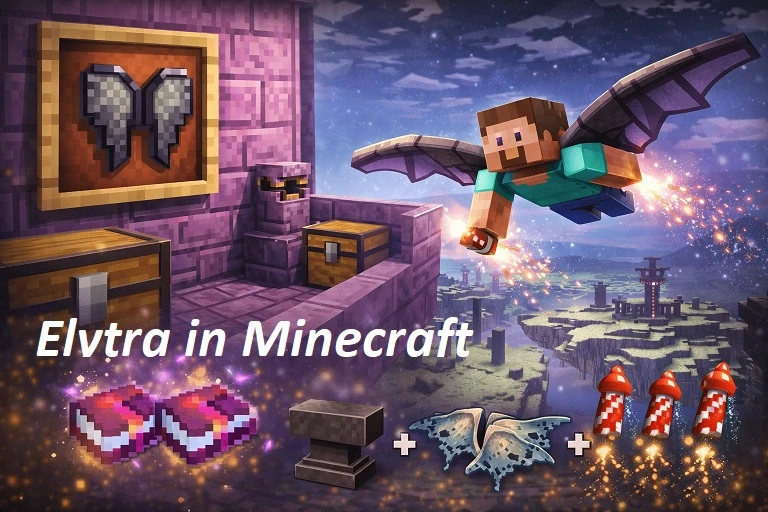
Can an End City Finder Help You Find Elytra?
Indirectly, yes.
The route is:
End City Finder → End City → End Ship → Elytra
Mojang confirms that Elytra is found on End Ships associated with End Cities.
If the first End City has no ship, choose another location from the finder and continue.
This is where having several city coordinates can be much more efficient than beginning another random search.
Best Way to Choose an End City Location
If your finder displays several results, do not automatically choose the first marker.
Consider:
Distance
Choose a city reasonably close to your current outer End position.
Travel Difficulty
A city that is technically closer may require crossing more dangerous void gaps.
Previous Exploration
Skip cities you have already visited.
Your Objective
If you only need Shulker shells, almost any End City can be useful.
If you want Elytra, your real objective is an End City with an End Ship.
What Should You Bring to an End City?
Even with exact coordinates, End City exploration is dangerous.
Useful equipment includes:
- Strong armor
- Sword or axe
- Bow
- Food
- Ender Pearls
- Building blocks
- Pickaxe
- Feather Falling boots
- Water bucket
- Ender Chest
- Potions
- Free inventory space
Mojang specifically recommends Ender Pearls, blocks, armor, weapons, food, potions, an Ender Chest, and water when preparing to search for End Cities.
Java and Bedrock End Differences to Keep in Mind
The End is not represented identically in both editions.
Mojang notes that the named Small End Islands biome exists in Java Edition, while Bedrock treats the End as one broad biome rather than using the same set of Java End biome names.
For ordinary players, the practical lesson is simple:
Do not rely on Java-specific biome terminology when troubleshooting a Bedrock End City search.
Instead, focus on:
- Correct seed
- Correct edition
- Correct version
- Outer End coordinates
- Actual generated terrain
Common End City Finder Mistakes
Selecting Java for a Bedrock World
This can produce mismatched structure coordinates.
Selecting Bedrock for a Java World
The same problem occurs in reverse.
Using a Seed From Another Save
Always confirm the world before copying the seed.
Ignoring the Minecraft Version
Version selection can matter for generation accuracy.
Expecting the Finder to Teleport You
A finder provides navigation information. You still need to travel there unless you separately use commands.
Assuming Every City Has Elytra
You need an End Ship for Elytra.
Forgetting the Return Gateway
Save your gateway coordinates before following distant city markers.
FAQs
Does End City Finder Work on Minecraft Java?
Yes, if the finder supports Java Edition and the version of the world you are using. Enter the Java seed and select the appropriate Java version before relying on coordinates.
Does End City Finder Work on Minecraft Bedrock?
Yes, when the finder specifically supports Bedrock world generation. Make sure Bedrock is selected because Java structure coordinates should not automatically be used for a Bedrock world.
Are End City Locations the Same in Java and Bedrock?
Not necessarily. Although modern Java and Bedrock have much closer seed and terrain parity, generated structure placement can still differ between editions.
Do Java and Bedrock Use the Same Seeds?
Modern versions support the same 64-bit numeric seed range, and Microsoft introduced much closer seed parity in Bedrock 1.18.30.
Why Is My End City Finder Not Accurate?
Check your seed, Minecraft edition, version, existing chunk generation, and whether the world uses custom generation. A Java/Bedrock mismatch is one of the first things to verify.
Can I Find an End City Without Cheats?
Yes. A seed-based finder can provide coordinates without enabling Minecraft’s cheat setting, or you can explore the outer End manually.
What Is the End City Locate Command?
In current Bedrock documentation, use:
/locate structure minecraft:end_city
The command requires cheats or sufficient permissions.
Does Every End City Have an End Ship?
No. You may need to visit multiple End Cities before finding one with a ship.
Can an End City Finder Find Elytra?
It can help you locate End Cities. Elytra itself is found on End Ships, so you need a city that generated with a ship.
What Is the Best Edition for Finding End Cities?
Neither edition is universally better for End City hunting. The important thing is using seed data and coordinates calculated for the edition you are actually playing.
Conclusion
End City Finder for Minecraft Java and Bedrock can make outer End exploration much more efficient by turning your world seed into useful End City coordinates. The critical steps are entering the correct seed, selecting the right edition, matching your Minecraft version, and navigating carefully through the outer End.
Java and Bedrock share increasingly similar world generation, but structure locations should not be assumed identical. Use edition-specific results, verify your coordinates, and check multiple End Cities if your goal is finding an End Ship and Elytra.