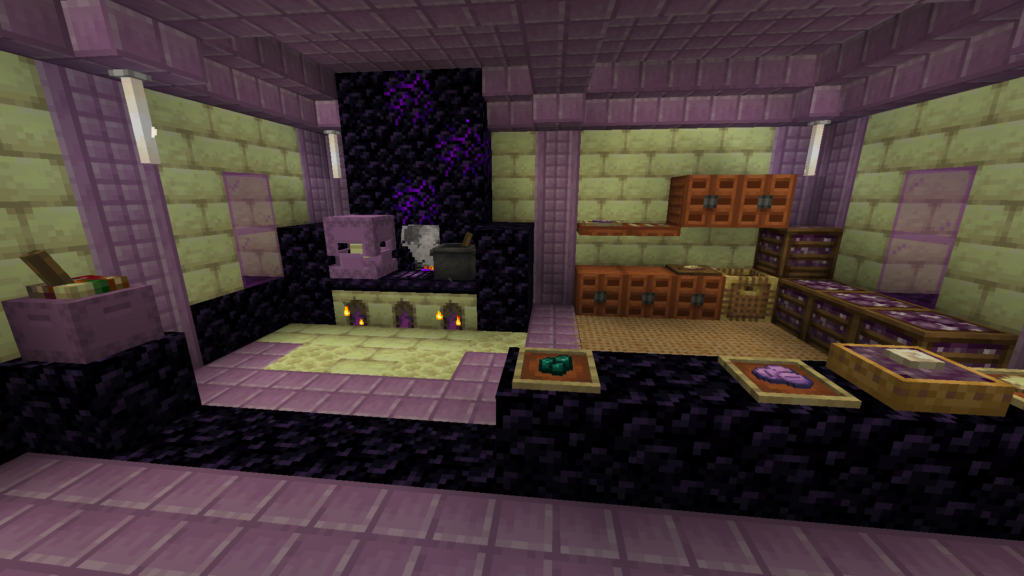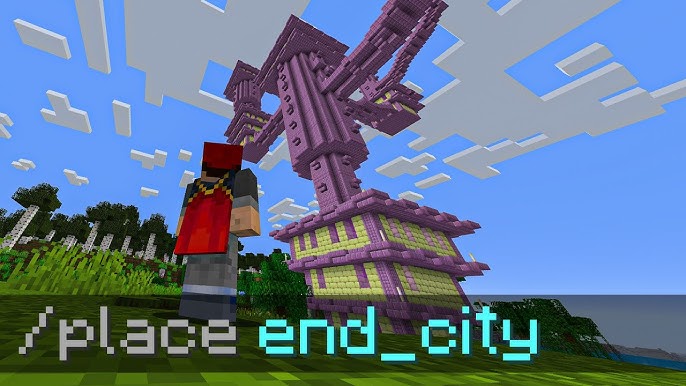
Minecraft End City Command makes locating an End City much faster when you have cheats or operator permissions enabled. Instead of exploring the outer End islands manually, you can use the /locate command to get coordinates for the nearest End City and travel there directly.
This guide explains the correct /locate syntax, Java and Bedrock differences, permission requirements, teleport options, common command errors, and how an End City Finder can help when you prefer seed-based coordinates instead of in-game commands.
What Is the Minecraft End City Command?
The Minecraft End City Command uses /locate to search for the nearest End City generated in the End dimension.
The basic command is:
/locate structure minecraft:end_city
After running it successfully, Minecraft returns coordinates pointing toward the nearest matching End City.
Microsoft’s current Bedrock command documentation lists minecraft:end_city as a supported structure value and confirms that /locate searches for the nearest specified structure in the current dimension.
For modern Java Edition, the same commonly used structure command is:
/locate structure minecraft:end_city
Current Java command references also identify minecraft:end_city as the structure ID for an End City.
Quick End City Command
If you only need the command, use:
Java Edition
/locate structure minecraft:end_city
Bedrock Edition
/locate structure minecraft:end_city
The command should be run while you are in the End dimension.
Microsoft states that /locate searches within the player’s current dimension, so searching for an End City from the Overworld is not the correct approach.
How to Use the End City Locate Command
Using the command takes only a few steps.
Step 1: Enter the End Dimension
First, travel to the End through an activated End Portal.
You do not want to run the End City search while standing in the Overworld because End Cities generate in the outer End islands.
Mojang’s official End City guide explains that players reach these cities by traveling to the End’s outer islands.
Step 2: Open the Chat Window
Open Minecraft’s chat or command interface.
The exact key or control depends on your platform.
On PC, the / key commonly opens the command input immediately.
Step 3: Enter the Locate Command
Type:
/locate structure minecraft:end_city
Then execute the command.
If your permissions and syntax are correct, Minecraft will search for the nearest End City.
Step 4: Read the Returned Coordinates
The game will return coordinates for the structure.
A result may appear in a format similar to:
The nearest minecraft:end_city is at [2456, ~, -1736]
The exact coordinates will depend on your world seed and current location.
The important values are generally:
- X coordinate – east/west position
- Z coordinate – north/south position
- Y or ~ – vertical position may not be supplied as a precise structure height
You can now travel toward the X and Z coordinates.
Do You Need Cheats for the End City Command?
Yes, command permissions are required.
Microsoft’s current Bedrock documentation explicitly lists /locate as requiring cheats and identifies its required permission level as Game Directors.
In a single-player world, this usually means cheats must be enabled.
On a multiplayer server, you generally need suitable operator or command permissions.
If you do not want to enable cheats, you can instead use normal Survival exploration or a seed-based End City Finder.
How to Enable Commands in Java Edition
If commands are unavailable in a Java single-player world, you may need to allow cheats.
Depending on your Minecraft version and world setup, this may be available when creating the world or temporarily through the LAN options.
Once command access is available, return to the End and enter:
/locate structure minecraft:end_city
On multiplayer servers, enabling commands yourself may not be possible unless the server administrator gives you the necessary permissions.
How to Enable Commands in Bedrock Edition
In Bedrock Edition, cheats can be enabled through the world’s settings when you have permission to change them.
After cheats are active:
- Enter the End.
- Open chat.
- Type
/locate structure minecraft:end_city. - Run the command.
- Follow the returned coordinates.
Microsoft’s documentation also shows an optional Bedrock argument:
/locate structure <structure> [useNewChunksOnly]
The optional Boolean can restrict the search to structures in new chunks when needed.
For a normal End City search, the simpler command is usually enough.
Java vs Bedrock End City Command
The core idea is almost identical in both editions.
| Feature | Java Edition | Bedrock Edition |
|---|---|---|
| Main command | /locate structure minecraft:end_city | /locate structure minecraft:end_city |
| Searches current dimension | Yes | Yes |
| Commands/permissions needed | Yes | Yes |
| Returns structure coordinates | Yes | Yes |
| Can directly locate an End Ship | No | No |
| Can locate an End City | Yes | Yes |
Modern Java references use the namespaced identifier minecraft:end_city, while Microsoft’s official Bedrock documentation also currently lists minecraft:end_city among its supported StructureFeature values.
If your particular release offers autocomplete, use it. Typing:
/locate structure
and checking the available suggestions can prevent syntax mistakes on different versions.
Why Does the End City Command Need to Be Used in the End?
The /locate command searches within the current dimension.
Microsoft describes /locate as finding the nearest specified biome or structure if it exists in the current dimension.
End Cities belong to the End dimension.
Therefore, the safest procedure is:
- Enter the End.
- Run
/locate structure minecraft:end_city. - Follow the returned coordinates.
Trying to search for an End City while standing in another dimension can result in the command failing to find the structure you want.
Can You Use /locate Before Killing the Ender Dragon?
The End City structure search is related to the dimension and generated structures rather than directly to whether the dragon is alive.
However, defeating the Ender Dragon provides the normal Survival route to the outer End islands through an End Gateway.
Mojang’s official guidance explains that after defeating the dragon, players can throw an Ender Pearl into an End Gateway to reach the outer islands and begin searching for an End City.
So even if you use /locate, defeating the dragon remains useful when you intend to reach the returned coordinates normally.
How to Teleport to an End City After Using /locate
Once the command returns the End City’s X and Z coordinates, you can either travel normally or teleport.
A teleport command follows a pattern such as:
/tp @s X Y Z
Replace the coordinate placeholders with appropriate values.
For example:
/tp @s 2456 100 -1736
However, do not blindly copy a random Y value.
The End contains huge void areas, and teleporting to an unsafe position can result in falling.
If you are unsure about the surrounding terrain, travelling toward the returned X/Z coordinates manually is safer.
Does /locate Teleport You Automatically?
No.
The /locate command only finds a target and provides location information.
It does not automatically move your character there.
The usual process is:
/locate structure minecraft:end_city
then either:
Travel manually
or use a separate:
/tp
command.
This distinction is useful because many players expect /locate to teleport them immediately.
Can the End City Command Find an End Ship?
Not directly.
There is no standard /locate target specifically for an End Ship in the normal End City search.
The command:
/locate structure minecraft:end_city
finds an End City.
After reaching the city, you still need to check whether an End Ship generated with it.
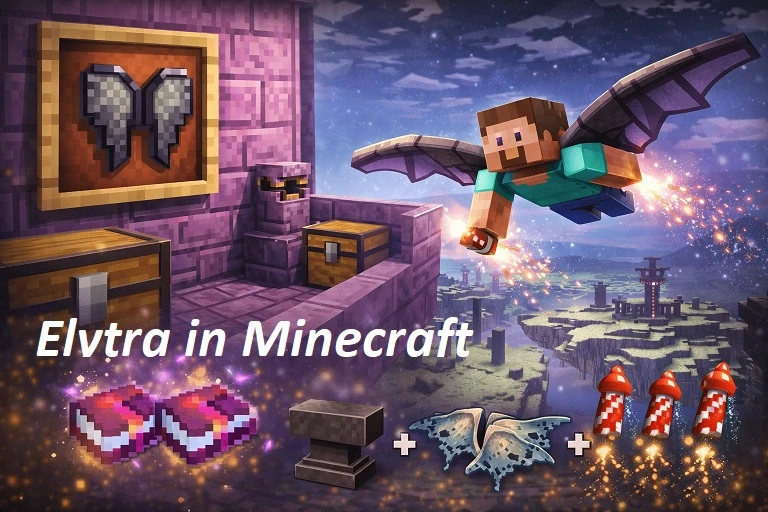
Mojang confirms that End Ships are associated with End Cities and are particularly important because they contain Elytra.
Does Every Located End City Have a Ship?
No.
Finding an End City does not guarantee that you have found an End Ship.
If your goal is Elytra and the first city has no ship, you will need to locate another city.
Move a substantial distance from the first location before running /locate again so the command has a better chance of returning a different nearby End City.
How to Find Another End City With /locate
If /locate keeps returning a city you already visited, move farther away first.
Then run:
/locate structure minecraft:end_city
again.
Because /locate searches for the nearest matching structure, running it from almost the same position can naturally return the same city.
A practical approach is:
- Save the coordinates of the first city.
- Travel farther into the outer End.
- Run
/locateagain. - Compare the new coordinates.
- Continue until Minecraft reports another city.
This is especially useful when searching for multiple End Ships or Elytras.
Using an End City Finder Instead of /locate
The /locate command is fast, but it requires command access.
If you want coordinates without enabling in-game cheats, a seed-based End City Finder provides another option.
An End City Finder can use your world seed to help identify End City locations before you spend time exploring the outer islands.
A typical process is:
- Find your Minecraft seed.
- Open the End City Finder.
- Enter the seed.
- Select the correct Minecraft edition or version when required.
- View available End City locations.
- Choose a city.
- Note its coordinates.
- Travel there naturally in Minecraft.
This makes the tool useful for players who want a planned route without using /locate.
End City Finder vs Minecraft End City Command
Both methods reduce random exploration, but they work differently.
| Feature | End City Finder | /locate Command |
| Requires cheats | No | Yes |
| Usually requires world seed | Yes | No |
| Gives End City coordinates | Yes | Yes |
| Works outside Minecraft | Yes | No |
| Can show multiple potential cities | Depends on tool | Usually nearest target |
| Good for planning routes | Yes | Limited |
| Best for quick in-game lookup | No | Yes |
If cheats are already enabled, /locate is one of the quickest ways to get coordinates.
If you want to keep in-game cheats disabled, an End City Finder can be the more suitable option.
End City Command vs Manual Exploration
Manual exploration is completely possible.
Mojang recommends reaching the outer End through an End Gateway and then traveling between islands using bridges or Ender Pearls until you discover an End City.
The difference is speed.
Using /locate
You already know where you are going.
Searching Manually
You need to:
- Travel through the outer islands
- Search large landmasses
- Scan for purpur towers
- Bridge across void gaps
- Track where you have already explored
Players who prefer traditional Survival gameplay may prefer manual exploration despite the extra time required.
Why Is the Minecraft End City Command Not Working?
Several problems can prevent /locate from working correctly.
You Are Using the Wrong Command Syntax
For a modern End City search, try:
/locate structure minecraft:end_city
Do not confuse an End City with an Ancient City.
They are entirely different structures.
Cheats Are Disabled
On Bedrock, Microsoft’s documentation explicitly states that /locate requires cheats.
Enable them or use an alternative method.
You Do Not Have Server Permission
On a server, ordinary players may not be allowed to execute /locate.
An administrator or operator may need to grant the appropriate permissions.
You Are in the Wrong Dimension
End Cities are End structures.
Run the search from the End rather than the Overworld.
You Typed the Structure ID Incorrectly
Use:
minecraft:end_city
Notice the underscore between end and city.
Using autocomplete after:
/locate structure
can help avoid typing errors.
You Are Playing an Older Version
Command syntax has changed during Minecraft’s history.
If the modern syntax does not work on an older release, use the command suggestions available inside that version rather than assuming newer syntax applies.
Why Does /locate Keep Showing the Same End City?
The command looks for the nearest matching structure.
If you remain close to an End City you already found, it may continue to be the nearest city.
Move farther away before searching again.
For example:
- Locate the first city.
- Travel well beyond it.
- Run
/locate structure minecraft:end_cityagain. - Check whether the returned coordinates changed.
A seed-based End City Finder may be more convenient when you want to compare several city locations at once.
Does the End City Command Work Without a Seed?
Yes.
One major advantage of /locate is that you do not need to know the world seed.
Minecraft searches its generated world data for the nearest matching structure.
This differs from a seed-based End City Finder, which usually needs the correct world seed to calculate or display locations.
Can You Use the End City Command in Survival?
You can use it while your player is in Survival mode if your world or account has the necessary command permissions.
Your game mode and cheat permissions are separate considerations.
However, players who want a strictly no-cheat Survival experience should avoid /locate and search manually instead.
For that approach, your supporting guide How to Find an End City Without Cheats can target the manual-search intent separately.
What Happens After You Find the End City?
Getting the coordinates is only the first part.
Once you reach the city, prepare for Shulkers and dangerous falls.
Mojang recommends bringing strong equipment, food, Ender Pearls, building blocks, an Ender Chest, potions, and water when exploring End Cities.
End Cities are valuable because you can find:
- Shulkers
- Shulker shells
- Treasure
- Purpur blocks
- End rods
- End Ships on some cities
- Elytra when an End Ship is present
If Elytra is your main objective, immediately look for a floating End Ship near the city.
Is /locate the Fastest Way to Find an End City?
If cheats and command permissions are available, it is one of the fastest methods because it removes the need for random searching.
You can run:
/locate structure minecraft:end_city
receive coordinates and head directly toward the structure.
For players who do not want cheats, an End City Finder can serve a similar navigation purpose using the world seed.
For completely traditional Survival, exploration remains the natural option.
Common End City Commands Quick Reference
| Goal | Command |
| Find nearest End City | /locate structure minecraft:end_city |
| Teleport yourself | /tp @s X Y Z |
| Find another city | Move away and run /locate structure minecraft:end_city again |
| Check valid structure names | Type /locate structure and use autocomplete |
Always verify teleport coordinates before moving yourself because the End’s void makes unsafe teleportation especially risky.
FAQs
What Is the Minecraft End City Command?
Use:
/locate structure minecraft:end_city
It searches for the nearest End City in the current dimension.
What Is the End City ID in Minecraft?
The structure identifier is:
minecraft:end_city
Microsoft currently lists this exact value among Bedrock’s supported /locate StructureFeature options.
Does /locate Work for End Cities?
Yes. End City is a valid structure target for /locate.
Do I Need to Be in the End to Use the Command?
Yes, you should perform the search from the End because /locate searches for structures that exist in the current dimension.
Does the End City Command Require Cheats?
Yes in Bedrock Edition. Microsoft explicitly marks /locate as requiring cheats. Java players also need sufficient command permissions.
Can /locate Find an End Ship?
Not directly. It locates an End City. You must then check whether that city generated with an End Ship.
Can /locate Find Elytra?
No. /locate finds structures rather than individual loot items. Find an End City and check for an End Ship, where Elytra can be obtained. Mojang identifies End Ships as the source of Elytra.
Why Does /locate Keep Finding the Same End City?
You are probably still closest to the same structure. Travel farther away and run the command again.
Can I Find an End City Without Commands?
Yes. Use an End Gateway and manually search the outer End islands, or use an End City Finder if you prefer seed-based coordinates without enabling in-game cheats.
Is End City Finder Better Than /locate?
Neither is universally better. /locate is faster for players with command access, while an End City Finder is useful when you want seed-based location planning without enabling Minecraft cheats.
Conclusion
The Minecraft End City Command provides a fast way to skip random End exploration and get coordinates for a nearby city. Enter the End and use /locate structure minecraft:end_city, then travel toward the coordinates or use teleport commands carefully.
If commands are disabled, your search does not have to become random. An End City Finder can provide seed-based locations instead, while manual exploration remains available for players who want a completely traditional Survival experience.