How to Find an End City Without Cheats is a common goal for Survival players who want a fair, command-free route to Elytra, Shulkers, and valuable loot. The key is reaching the outer End islands, tracking coordinates, and exploring efficiently.
This guide explains the safest route from the Ender Dragon to the outer islands, what gear to carry, how to use an End City Finder without enabling cheats, and which exploration habits help you locate a city much faster overall.
Can You Find an End City Without Cheats?
Yes. You can find an End City in normal Survival gameplay without activating cheats or using the /locate command.
The intended route is to defeat the Ender Dragon, use an End Gateway to reach the outer islands, and explore until you find an End City. Mojang’s official End City guidance describes traveling through an End Gateway and then moving between the outer islands until a city appears.
There are two main command-free approaches:
- Manual Survival exploration – no commands or external location tools.
- Seed-based End City Finder – does not require enabling in-game cheats but provides coordinates that can shorten your search.
If you want a completely traditional Survival experience, use the manual method.
Where Do End Cities Generate?
End Cities generate on the outer islands of the End dimension.
They are not normally found on the central End island where you fight the Ender Dragon. Defeating the dragon creates an End Gateway that provides access to the outer islands.
This means your basic journey is:
Stronghold → End Portal → Ender Dragon → End Gateway → Outer End Islands → End City
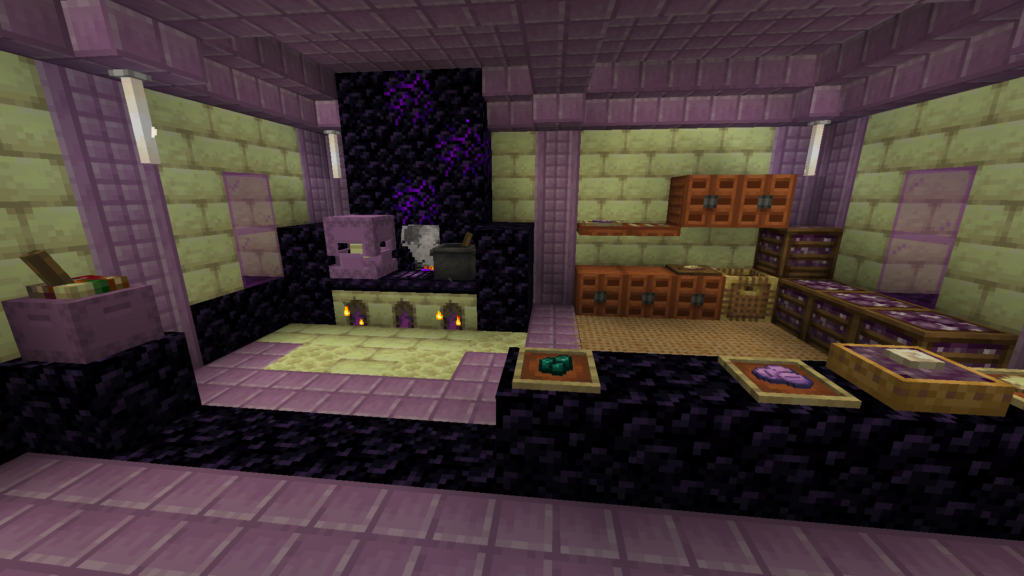
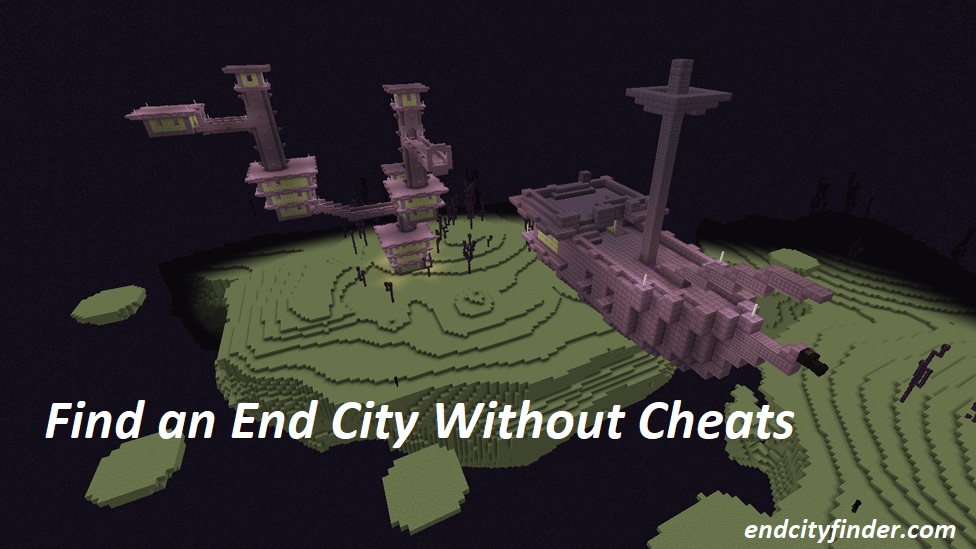
Once you reach the outer islands, look for tall structures made from purpur blocks and End stone bricks.
Fastest Ways to Find an End City Without Cheats
The best method depends on what you personally consider acceptable in a Survival world.
| Method | In-Game Cheats | External Tool | Speed | Best For |
|---|---|---|---|---|
| End City Finder | No | Yes | Very Fast | Seed-based searching |
| Manual coordinate exploration | No | No | Moderate | Traditional Survival |
| Elytra exploration | No | No | Fast | Finding more cities later |
| Random wandering | No | No | Slow | Not recommended |
If you want absolutely no external assistance, systematic manual exploration is the best option.
If your goal is simply no Minecraft cheats, a seed-based End City Finder can make the search much faster without turning cheats on.
How to Find an End City Without Cheats in Survival Mode
Step 1: Find a Stronghold
You need to reach the End before you can search for an End City.
Craft Eyes of Ender using Ender Pearls and Blaze Powder, then throw them to follow the direction of the nearest stronghold.
Mojang confirms that Eyes of Ender point players toward strongholds and can be used to reach the End Portal.
Bring more Eyes than you expect to need because some can break when thrown.
Step 2: Activate the End Portal
Once inside the stronghold, locate the portal room.
Place Eyes of Ender into any empty portal-frame blocks until the portal activates.
Before jumping in, make sure you have enough supplies for both the Ender Dragon fight and the exploration afterward.
Step 3: Defeat the Ender Dragon
Defeat the Ender Dragon on the central End island.
When the dragon dies, an End Gateway appears around the edge of the island. Mojang describes this gateway as the route to the End’s outer islands.
The outer islands are where your real End City search begins.
What Should You Bring Before Searching?
Finding an End City can require a long trip across dangerous terrain.
Useful items include:
- Strong armor
- Sword or axe
- Bow and arrows
- Plenty of food
- Ender Pearls
- Several stacks of building blocks
- Pickaxe
- Water bucket
- Ender Chest
- Feather Falling boots
- Potions
- Extra inventory space
Mojang recommends taking Ender Pearls, blocks, armor, weapons, food, potions, an Ender Chest, and water when heading out to search for End Cities.
Why an Ender Chest Is Useful
End City exploration can take you far from safety.
If you obtain valuable loot, placing it inside an Ender Chest protects it from being lost with the rest of your dropped inventory if you die later.
This becomes especially important after finding Elytra or rare equipment.
Step 4: Enter the End Gateway
Locate the small bedrock structure around the edge of the central island.
The opening is too small to simply walk through normally.
One easy method is to throw an Ender Pearl into the gateway.
Mojang specifically recommends throwing an Ender Pearl into an End Gateway to reach the outer islands.
You will then be teleported to another part of the End.
Step 5: Record Your Gateway Coordinates
Do this before exploring.
Save the X and Z coordinates of the gateway by:
- taking a screenshot;
- writing them down;
- saving them in a note;
- creating a recognizable marker nearby.
This is one of the most important steps in a no-cheat End City search.
If you travel thousands of blocks across the End without saving your starting location, finding the gateway again can be difficult.
Step 6: Pick One Direction
Do not wander randomly.
Choose a direction and continue traveling primarily along that route.
For example, if you decide to travel east, keep moving toward increasing X coordinates.
This helps you:
- avoid circling back;
- identify unexplored terrain;
- remember where you have already searched;
- maintain a clear route home.
Using coordinates is not cheating. Coordinates are simply navigation information available within normal Minecraft gameplay when your world settings allow them to be displayed.
Step 7: Search Larger Outer Islands
Spend most of your time exploring substantial landmasses instead of every tiny floating island.
Larger islands give you better visibility and make it easier to travel in a consistent direction.
When you reach high terrain, scan the horizon before building another bridge.
End Cities are large purple structures and may be visible from a considerable distance when terrain and render distance allow it.
Step 8: Travel Between Islands Carefully
The outer End contains large void gaps.
Mojang recommends either building bridges or throwing Ender Pearls while traveling between islands.
Bridging
Bridging is slower but easier to control.
Crouch while placing blocks near the edge and avoid rushing.
Ender Pearls
Ender Pearls can save significant time.
However, Mojang notes that an Ender Pearl teleports you to the location where it lands, so a poor throw can put you in serious danger.
Only throw when you can clearly see a safe landing area.
Step 9: Look for Purpur Towers
An End City looks very different from ordinary End terrain.
Watch for:
- Tall purple towers
- Purpur blocks
- End stone brick structures
- Bridges between buildings
- End rods
- Large multi-level rooms
If you see purple structures rising above an island, head toward them carefully.
You have likely found an End City.
Use an End City Finder Without Enabling Cheats
If you do not want to activate Minecraft cheats but still want to reduce random exploration, a seed-based End City Finder can help.
A finder can use world-generation information to show likely End City locations from a seed.
The general process is:
- Find your world seed.
- Open your End City Finder.
- Enter the correct seed.
- Select the relevant version or edition if the tool requires it.
- Identify a nearby End City location.
- Record the coordinates.
- Enter the End normally.
- Travel toward those coordinates in Survival.
Your main tool page at endcityfinder.com should target the keyword End City Finder, while this article remains focused on players searching for a no-cheat method.
Does an End City Finder Count as Cheating?
That depends on your own rules.
Using a seed-based tool does not automatically enable Minecraft’s in-game cheat setting, but it does give you information you would otherwise discover through exploration.
For single-player worlds, the choice is entirely yours.
On multiplayer servers, follow the server’s rules before using external seed or map tools.
How to Find an End City Without Cheats or External Tools
If you want a completely natural Survival experience, skip seed finders entirely.
Use this route:
- Defeat the Ender Dragon.
- Enter an End Gateway.
- Save your gateway coordinates.
- Pick one direction.
- Search large outer islands.
- Scan from high terrain.
- Bridge only when necessary.
- Use Ender Pearls carefully.
- Keep moving into unexplored terrain.
- Watch for purpur towers.
This is slower than using coordinates from an external finder, but it preserves the traditional exploration experience.
Best Manual Search Strategy
Use Coordinates to Prevent Backtracking
Your coordinates are extremely valuable when exploring the End.
Instead of thinking, “I may have searched this area already,” you can track exactly how far you have traveled.
If you started around X 1,200 and are heading east, you should normally continue toward higher X values instead of repeatedly returning toward your starting point.
Keep a Simple Route Record
You do not need a complicated map.
A small note such as:
Gateway: X 1100 / Z -450
Travel direction: East
Checked area: X 1100–3500
can prevent a lot of unnecessary exploration.
Scan Before Crossing Every Gap
Do not immediately bridge toward each island you see.
Climb to a higher point first and check whether the island looks promising.
This saves blocks and reduces time spent over the void.
Adjust Render Distance When Practical
A higher render distance can help you spot large structures farther away.
However, only increase it if your device can maintain stable gameplay.
Lag while bridging over the void is not worth the extra visibility.
Can You Find an End City Before Killing the Ender Dragon?
The outer End islands already exist, but defeating the Ender Dragon gives you the practical End Gateway route to them.
Mojang confirms that defeating the dragon produces an End Gateway used to access the outer islands.
Experienced players can theoretically travel across the enormous void gap manually, but this is far more difficult and inefficient.
For a normal no-cheat Survival run, defeating the dragon first is the sensible approach.
Why Can’t I Find an End City?
Sometimes you can explore for a long time without seeing one.
That does not necessarily mean anything is wrong with your world.
Possible reasons include:
You Are Still Near the Central Island
End Cities are found on the outer islands, not around the main dragon arena.
Use the End Gateway first.
You Keep Revisiting the Same Area
Without coordinates or a consistent direction, it is easy to move in circles.
Choose one route and keep progressing.
You Are Spending Too Much Time on Tiny Islands
Prioritize larger outer islands and use small ones mainly as stepping stones.
Your Render Distance Is Low
A city may be nearby but outside your current viewing range.
Increase render distance slightly if your hardware allows it.
You Are Simply Unlucky
The distance to a useful End City varies from world to world.
Sometimes you need to explore much farther than expected.
How to Know When You Have Found an End City
The architecture is distinctive.
An End City commonly contains tall purpur towers connected by bridges and multi-level rooms.
Once you see a large purple structure against the pale End terrain, move toward it carefully.
Do not rush inside immediately.
Shulkers inhabit End Cities and can make exploration dangerous.
What to Do After Finding an End City
Once you arrive, decide what you want from the structure.
Common goals include:
- Finding Elytra
- Finding an End Ship
- Collecting Shulker shells
- Searching treasure rooms
- Obtaining equipment
- Collecting purpur blocks
- Finding a dragon head
If Elytra is your main objective, start by checking whether the city includes an End Ship.
Does Every End City Have an End Ship?
No.
Finding an End City does not guarantee an End Ship.
If the city has no ship and your goal is Elytra, you will need to continue searching for another End City.
This is why organized exploration matters even after locating your first city.
How to Find an End Ship Without Cheats
Look around the upper sections of the End City for a floating purpur ship.
If no ship is visible:
- Climb higher.
- Check the city from several angles.
- Confirm there is no nearby floating ship.
- Continue exploring if necessary.
Once you obtain your first Elytra, future End City searches become much faster.
How Elytra Makes Future Searches Easier
Your first End City is usually the hardest to locate.
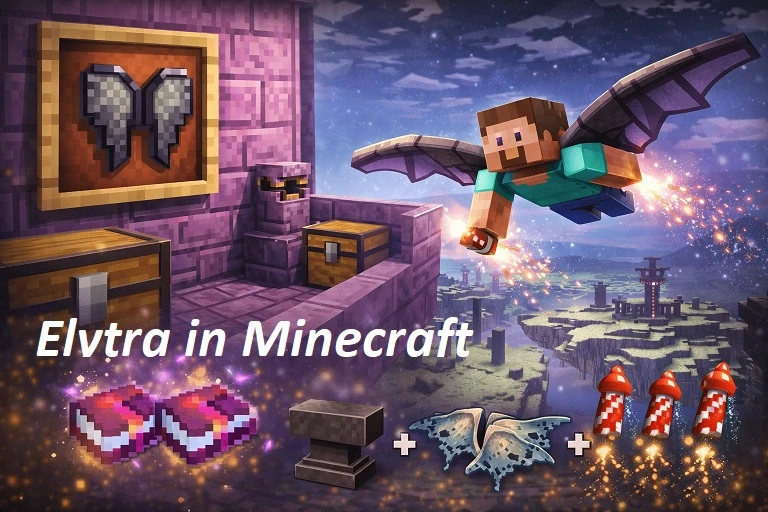
After finding a city with an End Ship and obtaining Elytra, you can travel between outer islands far more efficiently.
With firework rockets, you can cover large areas quickly and avoid many dangerous bridges.
A useful long-term strategy is:
- Find your first End City manually.
- Obtain Elytra.
- Prepare firework rockets.
- Return to the outer End.
- Fly across large unexplored areas.
- Search for additional cities and ships.
Common Mistakes to Avoid
Searching Randomly
Random wandering wastes time and increases the chance of revisiting old terrain.
Forgetting Gateway Coordinates
Always record your gateway before leaving.
Carrying Too Few Blocks
Outer End exploration often requires substantial bridging.
Throwing Risky Ender Pearls
Only use pearls when the landing point is clear.
Assuming the First City Has Elytra
Elytra is found on an End Ship, and not every city includes one.
Leaving Valuable Loot Unsecured
Use an Ender Chest when possible.
Exploring Without Enough Food
A long End journey can consume more resources than expected.
End City Finder vs Pure Survival Exploration
| Feature | End City Finder | Pure Manual Search |
| Enables cheats | No | No |
| Uses an external tool | Yes | No |
| Requires seed | Usually | No |
| Provides location guidance | Yes | No |
| Exploration time | Lower | Higher |
| Traditional Survival experience | Partial | Full |
| Good for fast searches | Excellent | Moderate |
Neither method requires using /locate.
Choose whichever matches how you want to play.
FAQs
What Is the Fastest Way to Find an End City Without Cheats?
A seed-based End City Finder can provide location guidance without enabling in-game cheats. For a completely tool-free Survival run, use coordinates and explore the outer End islands systematically.
Can You Find an End City Without Commands?
Yes. End Cities are naturally generated structures. Reach the outer islands through an End Gateway and explore until you find one.
Do You Have to Kill the Ender Dragon to Find an End City?
Defeating the dragon is not what creates the outer islands, but it gives you the convenient End Gateway used to reach them.
Where Should I Search for End Cities?
Search the outer islands of the End. Mojang’s End City guidance specifically directs players through an End Gateway to the outer islands before beginning the search.
Can I Use an End City Finder Without Cheats?
Yes, a seed-based finder can be used without activating Minecraft’s in-game cheat setting. Whether you personally consider an external tool acceptable is up to you or your server rules.
What Does an End City Look Like?
Look for tall purpur structures, towers, bridges, End rods, and large rooms rising above the pale End islands.
Why Am I Not Finding Any End Cities?
You may be searching too close to the main island, revisiting old terrain, or simply be far from the next generated city. Continue deeper into unexplored outer islands.
Can I Find Elytra Without Cheats?
Yes. Find an End City with an End Ship and collect the Elytra naturally in Survival.
Does Every End City Have an End Ship?
No. If your first city does not have a ship, continue exploring for another End City.
Is /locate Considered a Cheat?
In Bedrock Edition, Microsoft’s current documentation states that /locate requires cheats. Therefore, a true no-cheat search should not rely on that command.
Conclusion
How to Find an End City Without Cheats becomes much easier when you replace random wandering with a clear exploration strategy. Defeat the Ender Dragon, enter an End Gateway, record your coordinates, move consistently through the outer islands, and scan large landmasses for purpur towers.
For players who only want to avoid in-game cheats, an End City Finder can further reduce unnecessary searching. For a completely traditional Survival experience, coordinates, preparation, and systematic exploration are all you need.